
Imagine spending months building your online presence, only to see it crumble overnight. This is the reality for many businesses during a website migration. A single misstep in redirecting URLs can lead to broken links, lost rankings, and a drop in traffic. The stakes are high, and the margin for error is slim.
Manual redirect mapping is tedious and prone to mistakes. Even experienced teams can overlook critical details, jeopardising years of hard work. However, there’s a smarter way to handle this process. By leveraging advanced tools, you can map thousands of URLs in minutes, ensuring a seamless transition.
Properly managing your online presence during a migration is crucial. It’s not just about moving content; it’s about preserving your rankings and link equity. Automation can speed up the process, but human oversight remains essential to catch any potential issues.
Key Takeaways
- Manual redirect mapping is time-consuming and error-prone.
- Advanced tools can map thousands of URLs in minutes.
- Retaining rankings and link equity is critical during migrations.
- Automation speeds up the process but requires human oversight.
- Broken links can lead to significant traffic and ranking losses.
Understanding Website Migration Challenges
Moving your online platform to a new domain or structure is no small feat, especially when it comes to maintaining your search presence. The process involves more than just transferring content; it requires meticulous planning to avoid common pitfalls that can harm your rankings and visibility.
Identifying Common SEO Pitfalls
One of the most frequent issues during a migration is broken URLs. When pages are not properly redirected, users and search engines encounter dead links, leading to a drop in rankings. Incorrect 301 redirects are another common problem. If not implemented accurately, they can dilute your page authority and confuse crawlers.
Loss of structured data and meta tags is another concern. These elements are crucial for search engines to understand your content. Missing or incorrect data can result in reduced visibility in search results.
Recognising the Impact on Organic Traffic
Errors during migration can significantly disrupt your organic traffic. Case studies show that even minor technical issues, like missing redirects for high-traffic pages, can lead to substantial traffic losses. For instance, a well-known brand experienced a 42% drop in rankings due to malware attacks during their migration.
Search engines take time to recognise and index new URLs. If the process is not handled correctly, it can delay recovery, sometimes taking up to nine months to regain previous traffic levels. Proactive communication with platforms like Google Search Console can mitigate these delays.
- Broken URLs and incorrect redirects are major issues.
- Loss of structured data can harm search visibility.
- Technical errors can lead to significant traffic drops.
- Recovery time can extend up to nine months.
Establishing a Robust Migration Plan

Crafting a detailed strategy is the cornerstone of any seamless change. Without a clear plan, even the smallest oversight can lead to significant disruptions. A well-thought-out approach ensures that every aspect of the transition is accounted for, from content transfer to technical adjustments.
One of the most critical components of this process is URL mapping. Ensuring that every old URL is correctly redirected to its new counterpart is essential for maintaining search equity. This step requires precision and attention to detail, as errors can result in broken links and lost traffic.
Developing Your URL Mapping Strategy
Start by conducting a thorough crawl of your existing platform. This will help you identify all active URLs and their corresponding content. Use this data to create a detailed map, ensuring that no page is overlooked. Tools like Screaming Frog can simplify this step, making the process more efficient.
Next, prioritise high-traffic pages and those with strong backlinks. These pages are particularly valuable, and any missteps in their redirection can have a significant impact on your rankings. A clear guide or checklist can help you stay organised and minimise risks.
Finally, test your redirects before going live. This ensures that every link functions as intended and that users are directed to the correct pages. By following these best practices, you can mitigate potential issues and ensure a smooth transition.
For more insights, refer to this successful site migration guide, which offers additional tips and strategies.
Harnessing AI SEO Site Migration for Efficient Redirect Mapping
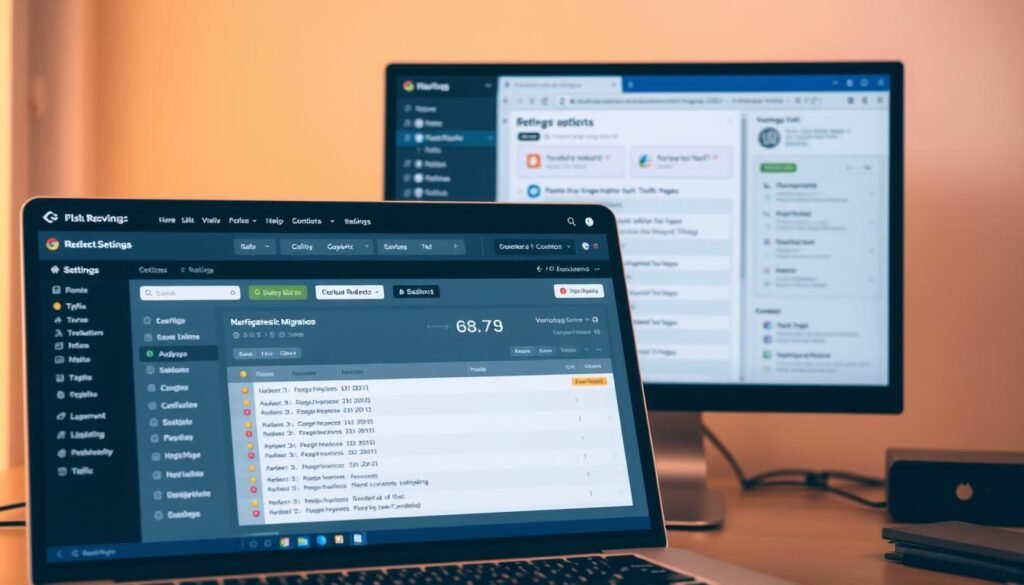
Redirect mapping is a critical step in ensuring your online platform transitions smoothly. Manual methods are not only time-consuming but also prone to errors, which can harm your search visibility. By leveraging advanced tools, you can streamline this process and achieve accurate results.
Speeding Up the Redirect Process
Tools like Google Colab and Screaming Frog can significantly reduce the time required for redirect mapping. For instance, pre-written Python scripts in Google Colab can generate detailed URL mapping spreadsheets in minutes. This approach eliminates the need for manual data entry, reducing the risk of mistakes.
Testing the mapping output is equally important. Automated tools can flag mismatches or “silly” errors, ensuring that every redirect functions as intended. This step is crucial for maintaining your platform’s performance and search equity.
Balancing Automation with Human Oversight
While automation speeds up the process, human oversight remains essential. Reviewing AI-generated matches ensures accuracy, especially for high-traffic pages or those with strong backlinks. As highlighted in a recent webinar, clear communication and thorough planning are key to a successful transition.
Case studies show that combining advanced tools with human expertise improves mapping accuracy and efficiency. This balanced approach helps preserve your platform’s search visibility and ensures a seamless user experience.
Preparing Your Website for Change

Before making any changes, it’s essential to assess your current platform thoroughly. A detailed audit of your website ensures that you identify potential issues and plan effectively for the transition. This step is crucial for maintaining performance and user experience.
Auditing Current Site Structure and Content
Start by reviewing your content and structure. This process helps you spot technical gaps and outdated elements that could hinder the transition. For instance, broken links or missing metadata can disrupt user experience and search visibility.
Preserve high-performing elements during the audit. These include pages with strong traffic or backlinks. Updating outdated content ensures your new site remains relevant and engaging.
Practical tools like Screaming Frog can simplify the audit process. Exporting site data and metadata provides a clear overview of your current setup. This approach helps you plan improvements for both aesthetics and functionality.
| Audit Focus | Key Actions | Tools |
|---|---|---|
| Content Review | Identify outdated pages, update metadata | Screaming Frog |
| Structure Mapping | Map URLs, check for broken links | Google Sheets |
| Performance Analysis | Preserve high-traffic pages, update design | Google Analytics |
For a comprehensive guide on preparing your platform, refer to this website migration checklist. It offers actionable steps to ensure a smooth transition.
Implementing Technical Solutions for a Seamless Transition

A smooth transition during a platform overhaul requires precise technical execution. Without the right tools and strategies, even minor errors can lead to significant disruptions. This section explores how to leverage advanced tools and best practices to ensure a flawless shift.
Leveraging Tools like Screaming Frog and Google Colab
Tools like Screaming Frog and Google Colab are indispensable for gathering and analysing essential data. Screaming Frog allows you to crawl your entire platform, identifying all active URLs and their associated metadata. This data is crucial for creating an accurate URL map, ensuring no page is overlooked.
Google Colab, on the other hand, automates repetitive tasks. Pre-written scripts can generate detailed spreadsheets in minutes, eliminating manual errors. As one expert noted,
“Automation reduces the risk of human error, ensuring a more reliable transition.”
Applying Best Practices for 301 Redirects
Correctly implementing 301 redirects is vital for preserving link equity and maintaining search engine performance. Start by mapping every old URL to its new counterpart. Prioritise high-traffic pages and those with strong backlinks, as errors here can significantly impact your rankings.
After mapping, test your redirects thoroughly. Tools like Screaming Frog can flag mismatches or broken links, ensuring every redirect functions as intended. Additionally, update internal links and rel=canonical tags to maintain consistency across your platform.
| Task | Tool | Outcome |
|---|---|---|
| URL Crawling | Screaming Frog | Comprehensive URL map |
| Redirect Mapping | Google Colab | Automated, error-free mapping |
| Redirect Testing | Screaming Frog | Flagged mismatches |
Finally, monitor your performance post-transition using search console data. This helps identify indexing issues and ensures your new domain is fully recognised by search engines. For a deeper dive into technical strategies, refer to this guide on successful platform migration.
Optimising Content and Internal Linking During Migration

Maintaining your online presence during a transition requires careful attention to detail, especially when it comes to content and internal linking. A well-structured internal linking strategy not only supports your ranking but also enhances user experience.
Internal links guide users and search engines through your platform, helping them discover relevant content. During a migration, preserving these links is crucial to maintaining your visibility and ranking signals.
Ensuring Consistent Meta Data and HTML Structure
Consistency in meta data and HTML structure is vital for preserving your platform’s visibility. Meta titles, descriptions, and header tags should remain accurate and relevant. Any discrepancies can confuse search engines and harm your ranking.
HTML elements like rel=canonical tags and structured data must also be reviewed. These elements help search engines understand your content, ensuring it is indexed correctly.
Here are some practical steps to maintain consistency:
- Audit all meta data before and after the migration.
- Ensure header tags (H1, H2, etc.) are correctly structured.
- Update internal links to reflect the new URL structure.
Retaining Ranking Signals Through Interlinking
Established interlinking patterns play a significant role in your platform’s ranking. During a migration, these patterns must be preserved to retain link equity. High-traffic pages and those with strong backlinks should be prioritised.
Broken links can have a severe impact on your visibility. Regularly check for inconsistencies and fix them promptly. Tools like Screaming Frog can help identify and resolve these issues efficiently.
| Task | Tool | Outcome |
|---|---|---|
| Meta Data Audit | Screaming Frog | Accurate meta titles and descriptions |
| Link Checking | Google Search Console | Identified and fixed broken links |
| HTML Structure Review | Manual Inspection | Consistent header tags and structured data |
A well-organised internal linking strategy not only boosts your ranking but also enhances user experience. By following these best practices, you can ensure a smooth transition and maintain your platform’s visibility.
Monitoring and Measuring SEO Performance Post-Migration

After a platform transition, the real work begins with monitoring and measuring its success. Ensuring your new setup performs as expected requires careful analysis of crawl reports and search console data. This step is crucial for identifying and resolving issues before they escalate.
Analysing Crawl Reports and Search Console Data
Crawl reports provide a detailed overview of your platform’s health. They highlight broken links, redirect loops, and indexing issues. Tools like Screaming Frog can help you generate these reports efficiently.
Search console data is equally important. It offers insights into how search engines view your platform. Regularly checking for crawl errors and indexing status ensures your pages are recognised and ranked correctly.
As one expert noted,
“Proactive monitoring is the key to preventing long-term damage to your visibility.”
Tracking Keyword Rankings and Organic Traffic
Monitoring keyword rankings over time helps you understand the impact of the transition. A sudden drop in rankings may indicate unresolved issues, such as incorrect redirects or missing meta data.
Organic traffic trends also provide valuable insights. A decline in traffic could signal technical errors or content gaps. Tools like Google Analytics allow you to track these metrics in real-time.
Here are some best practices for effective monitoring:
- Review crawl reports weekly to identify and fix errors promptly.
- Use search console data to track indexing status and resolve crawl issues.
- Monitor keyword rankings and organic traffic trends to measure performance.
- Conduct periodic business reviews to ensure adjustments are effective.
By following these steps, you can ensure your platform remains healthy and performs optimally post-migration. Regular monitoring not only helps you catch errors early but also provides actionable insights for continuous improvement.
Final Thoughts and Next Steps for a Successful Migration
Transitioning to a new domain requires careful planning and execution to avoid setbacks. Start with a thorough pre-migration audit to identify potential issues. This step ensures your source data is accurate and ready for the move.
Robust planning is essential. Create a detailed strategy that includes URL mapping, redirects, and content preservation. This approach minimises risks and maintains your platform’s performance.
After the transition, monitor your new domain closely. Use tools to track crawl reports and search console data. This helps you address any residual issues swiftly and maintain link equity.
For a seamless process, refer to this website migration checklist. It provides actionable steps to ensure a smooth transition.
By leveraging datum and following best practices, you can achieve a successful migration. Use this guide as a reference for continuous improvement in your projects.
FAQ
What are the common SEO pitfalls during a website migration?
Common issues include broken links, loss of organic traffic, and incorrect redirects. These can harm your search engine rankings if not addressed properly.
How does a website migration impact organic traffic?
Migrations can temporarily reduce organic traffic due to changes in URLs, content structure, or indexing issues. Proper planning helps minimise this impact.
Why is a URL mapping strategy important?
A URL mapping strategy ensures that old URLs are correctly redirected to new ones. This maintains link equity and prevents 404 errors, safeguarding your rankings.
Can AI speed up the redirect process during migration?
Yes, AI tools can automate redirect mapping, saving time and reducing errors. However, human oversight is essential to ensure accuracy.
What should I audit before migrating my website?
Audit your site structure, content, meta data, and internal links. This helps identify areas that need attention to maintain SEO performance.
Which tools are useful for a seamless website migration?
Tools like Screaming Frog and Google Colab can help analyse your site, identify issues, and implement 301 redirects effectively.
How can I ensure consistent meta data during migration?
Review and update meta titles, descriptions, and HTML tags to match the new site structure. Consistency helps maintain search engine visibility.
What should I monitor after completing a website migration?
Track crawl reports, Google Search Console data, keyword rankings, and organic traffic to identify and resolve any issues promptly.
How long does it take to recover organic traffic post-migration?
Recovery time varies but typically takes a few weeks to months. Regular monitoring and adjustments can speed up the process.
Source Links
- 10 Best Content Management Systems Of 2025
- Full-Service ECM Hosting
- Site Migrations and SEO – 2025 edition
- Website Migration Guide: How to Avoid SEO Ranking Loss
- Website Migration Service | Website Migration SEO
- AI & SEO: How Artificial Intelligence Is Reshaping Search Rankings
- How to Get Google Reindex a Site Fast: 9 Proven SEO Strategies
- The Ultimate Guide to AI in eCommerce
- How to Gain More Google Reviews and Elevate Your Practice – The Essence of Consistency in Dental Practice Success – Dentaltown
- Canonical URLs – What is It?
- Search Central Live is going to Madrid | Google Search Central Blog | Google for Developers
- How to Create an Effective SEO Strategy in 2025
- How to Redesign a Website: A 2025 Guide
- What AI in CMS Means for SEO, Content Creation and User Experience
- Angular Migration Services | Migrate with Zero Downtime
- The DWG Blog
- The Future of SEO Audits: Why They Matter in 2025 & What They Cost
- Website Performance Monitoring: The Complete Guide | Splunk
- 7 tips for building winning websites | Webflow Blog
- February, 2025: The Most Important SEO News
- Thinking About Migrating Help Desk Platforms? Here’s a Guide
- SEO Maintenance – Why SEO Is an Ongoing Process?
- Migrate Squarespace To Shopify (Actionable Transfer Steps Guide)