
Imagine you’re browsing a website, and the page takes forever to load. Frustrating, isn’t it? Now, think about how quickly you’d leave if the content kept shifting as you tried to click on something. These experiences are exactly what Core Web Vitals aim to measure and improve. They are a set of metrics that Google uses to evaluate how users interact with your site, focusing on loading speed, interactivity, and visual stability.
These metrics, including Largest Contentful Paint (LCP), Interaction to Next Paint (INP), and Cumulative Layout Shift (CLS), play a crucial role in determining your site’s search rankings. A fast, stable, and responsive site not only keeps users engaged but also boosts your visibility in search results. This is where AI steps in, offering tools and strategies to automate improvements and enhance these vital aspects of your site’s performance.
By leveraging AI, you can significantly reduce page load times, minimise layout shifts, and create a smoother user experience. These improvements can lead to lower bounce rates and higher conversion rates, making your site more effective and competitive. Understanding and optimising these metrics is essential for anyone looking to improve their site’s performance and search rankings.
Key Takeaways
- Core Web Vitals are essential metrics for evaluating site performance.
- LCP, INP, and CLS are key indicators of user experience.
- AI tools can automate improvements in page speed and stability.
- Optimising these metrics can reduce bounce rates and increase conversions.
- Regular testing with tools like Google PageSpeed Insights is crucial.
Understanding Core Web Vitals and Their Impact
When you visit a site, the first few seconds can make or break your experience. This is where Core Web Vitals come into play. These metrics measure how users interact with your site, focusing on three key areas: loading speed, interactivity, and visual stability.
What Are Core Web Vitals?
Core Web Vitals are a set of metrics introduced by Google to evaluate real-world user experience. The three main metrics are:
- Largest Contentful Paint (LCP): Measures how quickly the main content loads. A good score is under 2.5 seconds.
- Interaction to Next Paint (INP): Assesses how responsive a site is to user inputs. Aim for a score below 200 milliseconds.
- Cumulative Layout Shift (CLS): Tracks visual stability. A score of 0.1 or lower is ideal.
These metrics are vital because they directly influence how users perceive your site. A fast LCP ensures a seamless first impression, while a low CLS prevents frustrating layout shifts.
Why They Matter for Your Site’s Performance
Google uses these metrics to assess your site’s overall quality. Sites with better scores often rank higher in search results. Here’s why they matter:
| Metric | Impact |
|---|---|
| LCP | Improves first impressions and reduces bounce rates. |
| INP | Enhances interactivity, keeping users engaged. |
| CLS | Ensures visual stability, preventing user frustration. |
Tools like Google PageSpeed Insights provide detailed reports on these metrics. For example, a site with an LCP of 1.8 seconds and a CLS of 0.05 is likely to perform better in search rankings and retain more users.
By focusing on these metrics, you can create a smoother, more engaging user experience. This not only boosts your site’s performance but also increases the likelihood of conversions. For more insights on improving your site’s metrics, explore AI-driven strategies that can help you stay ahead in the competitive digital landscape.
The Role of AI in Enhancing Website Performance
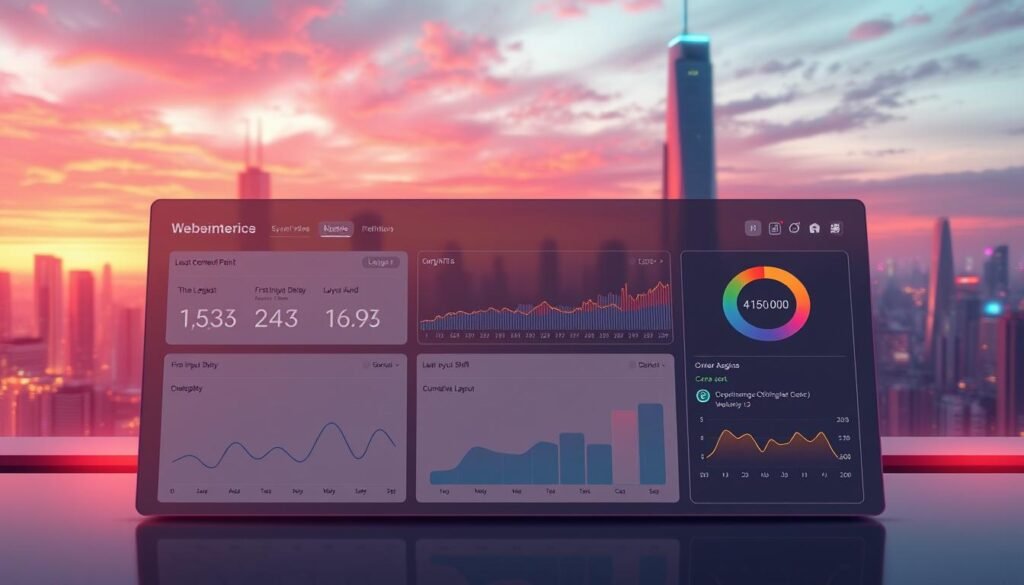
In today’s digital landscape, a slow or unstable website can drive users away in seconds. To address this, innovative technologies are now being used to refine key metrics and ensure a seamless user experience. These tools provide real-time insights and adaptive solutions, making it easier to optimise your site’s performance.
Benefits of Automation in Optimisation
Automation plays a crucial role in identifying and resolving performance issues. For instance, it can pinpoint slow-loading elements like images or scripts, allowing for quick fixes. This reduces human error and speeds up the optimisation process, ensuring your page loads faster and remains stable.
Moreover, these tools analyse critical metrics such as contentful paint and interactivity. They provide actionable recommendations, helping you make precise adjustments that enhance user engagement. This not only improves your site’s performance but also boosts its visibility in search results.
Real-Time Monitoring and Adaptive Changes
Real-time monitoring tools track user behaviour and technical changes as they happen. This allows your site to adapt dynamically, ensuring optimal performance at all times. For example, if a new element causes layout shifts, the tool can flag it immediately for correction.
These tools also help resolve issues that might impact your site’s ranking. By addressing problems promptly, you can maintain a smooth user experience and avoid penalties from search engines. For more insights on improving your site’s metrics, explore AI-driven strategies that can help you stay ahead in the competitive digital landscape.
| Feature | Benefit |
|---|---|
| Real-Time Insights | Identifies issues as they occur, ensuring quick resolution. |
| Adaptive Solutions | Adjusts to user behaviour and technical changes dynamically. |
| Automated Recommendations | Provides precise adjustments to enhance performance. |
By leveraging these advanced tools, you can significantly improve your website’s speed and stability. This not only enhances user satisfaction but also increases the likelihood of conversions. For a deeper dive into optimising key metrics, check out this guide on Core Web Vitals optimisation.
Step-by-Step Guide to Analysing Your Core Web Vitals

Analysing your site’s performance metrics is essential for maintaining a competitive edge. Google’s PageSpeed Insights is a fundamental tool that provides immediate, actionable data for both mobile and desktop versions of your website. This guide will walk you through how to use it effectively.
How to Use Google PageSpeed Insights
Start by entering your site’s URL into the tool. PageSpeed Insights will generate a report highlighting key metrics such as first input delay and overall ranking factors. These metrics are crucial for understanding how your site performs in real-world scenarios.
The tool displays two types of data: field data and lab data. Field data reflects actual user experiences, while lab data is based on controlled tests. Understanding the difference helps you identify which metrics directly impact your search rank.
Interpreting the Results
Once the report is generated, focus on the following:
- Largest Contentful Paint (LCP): Measures loading speed. Aim for under 2.5 seconds.
- First Input Delay (FID): Assesses interactivity. A score below 100 milliseconds is ideal.
- Cumulative Layout Shift (CLS): Tracks visual stability. Keep this under 0.1.
Prioritise improvements based on the severity of issues flagged. For example, if your LCP is high, consider optimising images or reducing server response times.
Real-World Examples
Let’s say your report shows a high CLS score. This could be due to dynamically injected content. By fixing this, you can reduce layout shifts and improve user experience. Similarly, a high FID might indicate heavy JavaScript usage, which can be mitigated by deferring non-critical scripts.
Regular monitoring is key to maintaining high SEO scores. Tools like Google Search Console can help you track changes and identify new issues as they arise. For more tips on optimising server performance, explore our detailed guide.
| Metric | Actionable Insight |
|---|---|
| LCP | Optimise images and reduce server response times. |
| FID | Defer non-critical JavaScript. |
| CLS | Avoid dynamically injected content. |
By following these steps, you can ensure your site remains fast, stable, and user-friendly. Regular analysis and improvements will not only boost your search rankings but also enhance overall user satisfaction.
AI core web vitals SEO: Integrating AI Tools in Your Strategy

To stay ahead in the competitive digital space, integrating advanced tools into your strategy is essential. These tools can streamline the optimisation of key metrics, ensuring your site remains fast, stable, and user-friendly. By automating tasks like reporting and adjustments, you can save valuable time and focus on broader goals.
Selecting the Right Optimisation Tools
Choosing the right tools is crucial for effective optimisation. Look for solutions that provide detailed reports on metrics like LCP and layout stability. These insights help you identify areas for improvement and make data-driven decisions.
Consider tools that offer real-time monitoring and adaptive changes. These features ensure your site adjusts dynamically to user behaviour and technical updates. For example, tools that flag layout shifts immediately can prevent user frustration and improve overall performance.
Implementing for Performance Improvements
Once you’ve selected the right tools, the next step is seamless integration. Start by setting up automated reports to track key metrics over time. This allows you to monitor progress and identify trends without manual effort.
Focus on tools that provide actionable insights. For instance, if your LCP is high, the tool might suggest optimising images or reducing server response times. These adjustments can significantly enhance your site’s speed and user experience.
For more tips on leveraging advanced tools, explore AI-driven strategies that can help you stay ahead in the competitive digital landscape.
- Identify tools that offer detailed reporting on key metrics.
- Prioritise real-time monitoring and adaptive solutions.
- Set up automated reports to track improvements over time.
- Use actionable insights to make precise adjustments.
- Regularly review and refine your strategy for sustained success.
Optimising User Experience by Refining Key Metrics

Your website’s performance hinges on how quickly users can interact with it. To ensure a smooth experience, focusing on key metrics like Largest Contentful Paint (LCP) and Cumulative Layout Shift (CLS) is essential. These vitals metrics directly impact user satisfaction and can influence your site’s success.
Enhancing Largest Contentful Paint (LCP)
Improving your LCP score ensures that the main content loads quickly, providing a positive first impression. One effective strategy is compressing images to reduce their file size without compromising quality. Additionally, implementing a Content Delivery Network (CDN) can distribute your content more efficiently, reducing load times.
Another common issue is server response time. Optimising your server’s performance can significantly enhance your LCP. For example, reducing the number of redirects and leveraging browser caching can make a noticeable difference.
Minimising Cumulative Layout Shift (CLS)
Unexpected layout shifts can frustrate users and harm your site’s credibility. To minimise CLS, ensure that media elements like images and videos have explicit width and height attributes. This prevents them from shifting as they load.
Optimising your CSS can also reduce layout shifts. Avoid inserting content dynamically unless necessary, and use stable elements that don’t disrupt the page’s structure. Regularly monitor your site to identify and fix any issues that could cause shifts.
“A fast and stable website not only retains users but also boosts conversions.”
Real-time monitoring of these vitals metrics is crucial. Tools like Google PageSpeed Insights provide actionable insights, helping you maintain a consistent user experience. For more detailed strategies, explore AI-driven solutions that can further enhance your site’s performance.
- Compress images and use a CDN to improve LCP.
- Set explicit dimensions for media to reduce CLS.
- Optimise server performance and CSS for better stability.
- Monitor metrics in real-time to address issues promptly.
Leveraging AI for Improving Interactivity and Responsiveness

Ensuring your site responds instantly to user actions is crucial for retaining visitors. Metrics like Interaction to Next Paint (INP) and First Input Delay (FID) play a vital role in measuring this responsiveness. By focusing on these, you can create a smoother experience that keeps users engaged and boosts your site’s performance.
Boosting Interaction to Next Paint
Improving your INP score ensures that users can interact with your site without delays. One effective method is reducing JavaScript execution time. This can be achieved by deferring non-critical scripts and optimising code efficiency.
Using specialised tools to monitor INP in real-time allows you to identify bottlenecks quickly. These tools provide actionable insights, helping you make precise adjustments that enhance interactivity.
Reducing First Input Delay
Minimising FID is essential for immediate responsiveness. A common issue is heavy JavaScript usage, which can delay user interactions. By breaking down large scripts into smaller chunks, you can reduce this delay significantly.
Another strategy is optimising server response times. Faster servers ensure that user inputs are processed promptly, leading to a more seamless experience. Regularly monitoring these metrics helps you maintain optimal performance.
“A responsive site not only retains users but also drives higher conversion rates.”
Integrating cumulative layout assessments with advanced strategies ensures your site remains stable and responsive. Tools that track these metrics in real-time provide valuable insights, helping you address issues before they impact user experience.
- Reduce JavaScript execution time to improve INP.
- Optimise server response times to minimise FID.
- Use specialised tools for real-time monitoring and adjustments.
- Focus on cumulative layout stability to enhance user satisfaction.
- Regularly test and refine your strategies for sustained success.
By addressing these metrics, you can create a site that not only performs well but also drives higher conversion rates. For more insights on optimising your site’s performance, explore our guide on Core Web Vitals.
Best Practices for Sustained SEO Success

Achieving long-term success in search rankings requires a blend of technical precision and engaging content. While optimising metrics like Largest Contentful Paint (LCP) and Cumulative Layout Shift (CLS) is crucial, the quality of your content plays an equally vital role. Striking this balance ensures your site remains both fast and relevant, driving sustained traffic and conversions.
Why Technical and Content Optimisation Go Hand in Hand
Technical enhancements, such as improving paint metrics and reducing layout shifts, create a seamless user experience. However, without high-quality content, even the fastest site will struggle to retain visitors. Engaging, relevant content keeps users on your page longer, improving your overall ranking.
For example, optimising images for faster loading times is a technical improvement, but pairing it with visually appealing and informative content ensures users stay engaged. This dual focus on technical and content quality is key to sustained success.
Practical Strategies for Balancing Both
To achieve this balance, start by auditing your site’s technical elements. Tools like Google PageSpeed Insights can identify areas for improvement, such as reducing server response times or compressing images. Simultaneously, evaluate your content for relevance and engagement. Are your articles answering user queries effectively? Are they visually appealing?
Regular monitoring using efficient resources ensures continuous improvement. For instance, tracking paint metrics alongside content performance metrics provides a holistic view of your site’s health. This approach allows you to make data-driven decisions that enhance both technical and content aspects.
| Best Practice | Benefit |
|---|---|
| Optimise technical elements like LCP and CLS | Improves site speed and stability |
| Create high-quality, engaging content | Increases user retention and conversions |
| Use tools for regular monitoring | Ensures continuous improvement |
| Blend technical and content strategies | Boosts overall ranking |
By integrating these strategies, you can ensure your site remains competitive in search results. For more insights on sustainable practices, explore this guide on maintaining long-term success.
“A site that combines technical excellence with compelling content not only ranks higher but also delivers a superior user experience.”
Remember, the key to sustained ranking success lies in balancing technical optimisations with content quality. Regular audits, strategic adjustments, and a focus on user engagement will keep your site performing at its best. For further reading on blending technical and content strategies, check out this resource.
Conclusion
Focusing on improving your site’s page experience can lead to significant gains in both user satisfaction and search engine performance. By integrating advanced tools and strategies, you can ensure your site remains fast, stable, and engaging. This not only enhances how users interact with your content but also boosts your visibility in search results.
Regular monitoring and adjustments are essential for maintaining these improvements. Tools like Builder.io can help streamline this process, providing actionable insights to refine your approach. Pairing technical enhancements with high-quality content ensures your site remains competitive and relevant.
For long-term success, consider adopting smarter strategies that prioritise user intent and experience. Explore AI-driven solutions to stay ahead in the evolving digital landscape. By consistently refining your site’s performance and content, you can achieve sustained growth and better rankings.
FAQ
What are Core Web Vitals?
Core Web Vitals are a set of metrics introduced by Google to measure user experience on your site. They focus on loading speed, interactivity, and visual stability.
Why do Core Web Vitals matter for my site’s search engine ranking?
These metrics are a key ranking factor. Improving them enhances user experience, which can boost your site’s visibility in search results.
How can AI help improve my website’s performance?
AI tools analyse data in real-time, identify issues, and suggest adaptive changes to optimise loading speed, interactivity, and layout stability.
What is the best way to analyse my Core Web Vitals?
Use tools like Google PageSpeed Insights to assess your site’s performance and pinpoint areas for improvement.
How do I choose the right AI optimising tools for my site?
Look for tools that offer real-time monitoring, actionable insights, and compatibility with your site’s platform for seamless integration.
What steps can I take to enhance Largest Contentful Paint (LCP)?
Optimise server response times, use efficient hosting, and compress images to ensure the main content loads quickly.
How can I reduce Cumulative Layout Shift (CLS) on my site?
Specify dimensions for images and videos, avoid inserting content dynamically, and use stable fonts to prevent unexpected layout shifts.
What is Interaction to Next Paint (INP), and how can I improve it?
INP measures responsiveness. Reduce JavaScript execution time and optimise event handlers to enhance interactivity.
How can I minimise First Input Delay (FID)?
Break up long tasks, defer non-critical JavaScript, and use browser caching to ensure your site responds quickly to user interactions.
Should I focus more on technical optimisation or quality content?
Both are crucial. Balance technical improvements with engaging, relevant content to achieve sustained search engine success.
Source Links
- Core Web Vitals Optimization: Boosting Speed, UX, and Search Rankings
- Leveraging AI for On-Page and Off-Page SEO Optimization
- The Benefits of UX Design: Why It Matters More Than Ever in 2025
- No title found
- Core Web Vitals and Engagement Metrics
- 12 Powerful AI SEO Tips to Skyrocket Your Google Rankings
- AI and online reputation: How to stay in control
- Dental Marketing – AI SEO for Dental Practices: How Artificial Intelligence is Reshaping Search Engine Optimization
- The Step By Step Process To Recover From Any Google Penalty
- What Is Google’s Algorithm? Your Ultimate Guide for 2025
- WordPress SEO checklist: 40 tasks to improve your site’s performance
- What is the Future of SEO? (in the Next Five Years)
- Generative Engine Optimization (GEO): The Future of AI-Powered Search
- T-Mobile’s data-driven approach to web performance led to a 20% reduction in user site issues and an 32% improvement in cart-to-order rate. | web.dev
- Is AI Generated Content Good for SEO? What Google States
- ⚠️ The hidden SEO mistakes killing rankings | SEW Weekly Digest
- AI-Driven SEO: How Machine Learning Optimizes Keyword Intent and Content Gaps
- Generative Engine Optimization (GEO) Archives
- Mobile SEO: Boost Your Site’s Search Rankings | Copy.ai
- How to withstand algorithm updates and optimize for AI search
- How Gen Alpha Influences Future SEO Strategies | Women in Tech SEO
- Generative Engine Optimisation (GEO): everything you need to know
- AI for SEO in 2025: How to Use AI for Higher Google Rankings
- 11 Technical Seo Updates Implement in 2025 | Woosper
- Google algorithm updates: the latest news and guides