
Imagine you’re browsing a website, but the text is too small, the images lack descriptions, and the navigation feels clunky. Frustrating, isn’t it? Now, picture a site that adapts to your needs, offering seamless navigation and clear content. This is the power of integrating modern tools to enhance your online experience.
In today’s digital landscape, ensuring your site is user-friendly isn’t just a nice-to-have—it’s a necessity. With legal requirements and the need to stand out in search engine results, making your platform accessible is a smart move. It’s not just about compliance; it’s about creating a space where everyone feels welcome.
By leveraging advanced technologies, you can automate checks and fix issues that might otherwise go unnoticed. This not only improves the user experience but also boosts your site’s visibility. A more accessible platform means happier visitors and better rankings—a win-win for everyone.
Key Takeaways
- Enhancing your site’s accessibility improves user experience and search engine rankings.
- Modern tools automate checks and fix issues, saving time and effort.
- Accessibility is both a legal requirement and a competitive advantage.
- User-friendly platforms attract more visitors and reduce bounce rates.
- Integrating advanced technologies transforms accessibility into a strategic edge.
Introduction to AI and Accessible Web Design
Navigating a website should feel effortless, but many platforms fall short of meeting diverse user needs. Accessible design ensures everyone, regardless of ability, can interact with ease. This approach not only benefits users but also enhances your site’s performance in search results.
Why Accessibility Matters for Your Website
Creating an inclusive digital space is essential. Over 15% of the global population experiences some form of disability, making accessible design a necessity. By prioritising inclusivity, you ensure your content reaches a wider audience.
Screen readers, for example, rely on alt text to describe images. Without it, visually impaired users miss out on crucial information. As the W3C states, “Accessibility is about making your website usable by as many people as possible.”
Here’s how accessible design benefits both users and search engines:
- Improved user experience leads to higher engagement and lower bounce rates.
- Clear content and structure make it easier for search engines to index your site.
- Alt text and proper heading tags enhance visibility in search results.
Consider this comparison of accessible vs. non-accessible design:
| Aspect | Accessible Design | Non-Accessible Design |
|---|---|---|
| Navigation | Keyboard-friendly, logical structure | Clunky, mouse-dependent |
| Images | Descriptive alt text provided | Missing or generic alt text |
| Engagement | Higher user satisfaction | Increased bounce rates |
By focusing on accessibility, you create a platform that serves everyone. As highlighted by experts, “Clear and inclusive design benefits both users and search engines, driving better rankings and engagement.”
Understanding Web Accessibility and Its Legal Imperatives

Ensuring your platform is inclusive isn’t just a moral obligation—it’s a legal requirement. Web accessibility means designing your site so everyone, including individuals with disabilities, can use it effectively. This includes features like descriptive alt text for images, keyboard-friendly navigation, and clear headings.
In the United States, the Americans with Disabilities Act (ADA) mandates that websites must be accessible to all users. Non-compliance can lead to legal disputes, fines, and reputational damage. Adhering to the Web Content Accessibility Guidelines (WCAG) ensures your site meets these standards.
ADA Compliance and WCAG Guidelines
The ADA requires businesses to provide equal access to digital platforms. This means your site must be usable by individuals with disabilities, such as those who rely on screen readers or keyboard navigation. The WCAG guidelines, updated to versions 2.1 and 2.2, provide a framework for achieving this.
Here’s why compliance matters:
- It reduces the risk of lawsuits and penalties.
- It improves user experience, leading to higher engagement.
- It enhances your site’s visibility in search results.
Structured pages with clear headings are essential. They help screen readers interpret content, making it easier for users with disabilities to navigate. This not only aids compliance but also reduces bounce rates.
| Aspect | Compliant Design | Non-Compliant Design |
|---|---|---|
| Navigation | Keyboard-friendly, logical structure | Mouse-dependent, confusing layout |
| Images | Descriptive alt text provided | Missing or generic alt text |
| Engagement | Higher user satisfaction | Increased bounce rates |
By prioritising accessibility, you create a platform that serves everyone. As highlighted by experts, “Accessibility isn’t just about compliance—it’s about creating a better user experience for all.”
Investing in accessibility also aligns with SEO best practices. Clear headings, descriptive alt text, and structured content make it easier for search engines to index your site. This boosts your rankings and attracts more visitors.
In summary, meeting ADA and WCAG standards isn’t just about avoiding legal risks. It’s about building a platform that’s inclusive, user-friendly, and optimised for success. For more insights on how accessibility impacts user experience, check out this resource.
The Role of AI in Enhancing Website Accessibility
Creating a seamless online experience for every user is no longer optional—it’s essential. With advanced tools, you can ensure your platform is inclusive and easy to navigate. These solutions not only improve usability but also help maintain compliance with accessibility standards.
Real-Time Accessibility Auditing and Remediation
Modern tools continuously scan your site for potential issues, resolving them instantly. This ensures that every image has descriptive alt text, making it easier for screen readers to interpret content. Real-time auditing saves time and ensures your platform remains compliant.
For example, if a person with visual impairments visits your site, they’ll encounter properly labelled images and clear text. This enhances their experience and reduces frustration. Automated fixes also mean fewer manual interventions, allowing you to focus on other priorities.
Screen Reader Optimisation and User-Friendly Navigation
Optimising your site for screen readers is crucial. Tools improve navigation by structuring content logically and ensuring headings are clear. This makes it easier for users to find what they need without unnecessary clicks.
For instance, a well-organised site with descriptive alt text and proper headings ensures that a person using a screen reader can navigate effortlessly. These enhancements not only improve usability but also boost your platform’s performance in search results.
By leveraging these solutions, you create a website accessible to all users. This inclusivity leads to higher engagement, better rankings, and a more positive experience for everyone.
Integrating AI web accessibility SEO for Enhanced User Experience
Your website’s design can make or break its success in search engine results. By focusing on inclusivity, you not only meet legal standards like the ADA but also improve your platform’s visibility. Accessible design ensures that every person, regardless of disability, can navigate your site with ease.
Improving Organic Traffic Through Accessible Design
When your site is easy to use, it attracts more visitors. Clear headings, descriptive alt text, and logical structure make it easier for search engines to index your web content. This boosts your ranking and drives organic traffic.
For example, a site with proper alt text ensures that visually impaired users can understand images. This inclusivity leads to longer visits and lower bounce rates. As a practice, regularly audit your site to identify and fix accessibility issues.
Boosting Rankings with Accessible Content and Alt Text
Optimising your web content for accessibility has dual benefits. It enhances the user experience while improving your search engine results. Descriptive alt text and clear metadata make your site more discoverable.
Businesses that implement these changes often see measurable improvements. For instance, a well-structured site with accessible features can climb search engine rankings. This not only increases visibility but also ensures compliance with ADA standards.
To learn more about how these strategies can transform your platform, check out this resource.
Technical Elements: Alt Text, Metadata, and Heading Structure
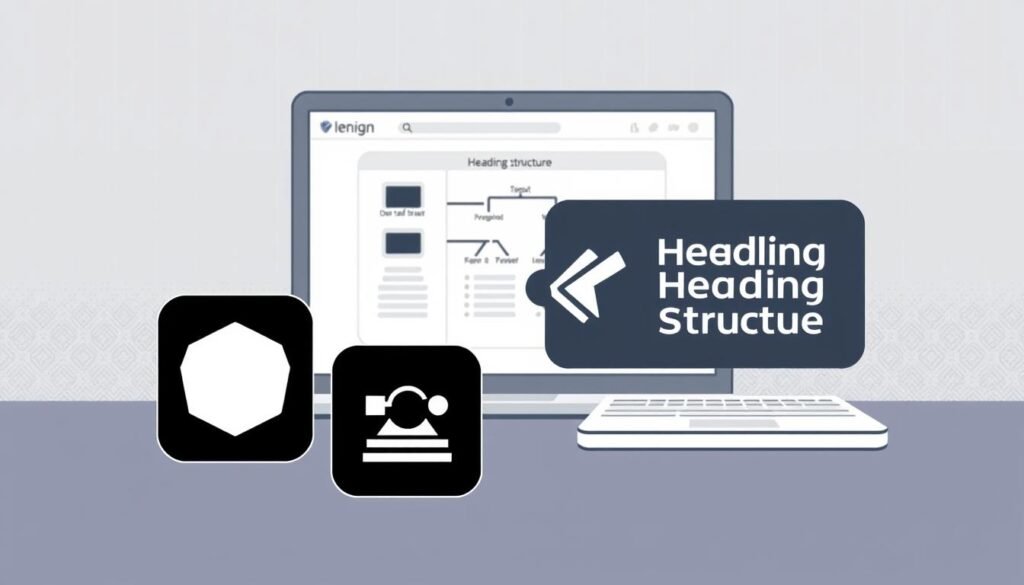
Effective website design relies on more than just aesthetics; it’s about ensuring every element works seamlessly for all users. Technical elements like alt text, metadata, and heading structure play a crucial role in both accessibility and search engine visibility. By optimising these components, you create a platform that’s user-friendly and discoverable.
Optimising Alt Text and Captioning for Clarity
Descriptive alt text is essential for making images accessible. It provides context for visually impaired users and helps search engines understand your content. For example, instead of using generic terms like “image1.jpg,” opt for specific descriptions like “red apple on a wooden table.”
Captioning also enhances clarity. Clear captions ensure that all users, regardless of ability, can grasp the message. This best practice not only improves accessibility but also boosts your site’s traffic by making it more search engine-friendly.
Structuring Metadata to Enhance Search Engine Result Visibility
Metadata, including meta titles and descriptions, influences how your site appears in search results. A well-crafted meta title grabs attention, while a concise description encourages clicks. For instance, a meta title like “Top 10 Healthy Recipes” paired with a description like “Discover easy, nutritious meals for every day” can significantly improve click-through rates.
Structured metadata also aids search engines in indexing your pages. This optimization ensures your content ranks higher, driving more traffic to your site. As highlighted in this resource, “Metadata is a cornerstone of both accessibility and SEO.”
| Aspect | Structured Metadata | Unstructured Metadata |
|---|---|---|
| Search Visibility | Higher rankings, increased clicks | Lower visibility, fewer clicks |
| User Experience | Clear, engaging descriptions | Vague or missing details |
| Accessibility | Supports screen readers | Difficult for assistive tools |
By focusing on these technical elements, you create a platform that’s both accessible and optimised for search engines. This approach not only enhances user experience but also drives measurable improvements in traffic and engagement. For more insights on leveraging technology for better results, explore this guide.
AI-Driven Accessibility Tools and Implementation

Maintaining an inclusive online presence requires continuous effort, but modern tools can simplify the process. By leveraging advanced solutions, you can ensure your platform remains user-friendly and compliant with laws like the ADA and WCAG standards. These tools not only reduce manual effort but also enhance your site’s performance for both users and search engine bots.
Leveraging AI for Continuous Compliance and Performance
AI-powered tools continuously scan your site for usability issues, resolving them in real time. For example, they ensure every image has descriptive alt text and that navigation is keyboard-friendly. This automation helps you meet website accessibility standards without constant manual intervention.
These tools also assist in achieving ongoing compliance with laws like the ADA. By identifying and fixing issues instantly, they ensure your platform remains inclusive. This not only reduces legal risks but also improves user experience, leading to higher engagement and better rankings.
One notable example is UserWay’s widget, which automates scanning and remediation. Such solutions save time and resources while ensuring your site stays compliant. As highlighted in this resource, these tools streamline the process of creating inclusive digital experiences.
Beyond compliance, AI-driven tools enhance your site’s performance for search engine bots. Clear alt text, structured headings, and logical navigation make it easier for bots to index your content. This boosts your visibility in search results, driving more organic traffic.
By integrating these solutions, you future-proof your platform. They embed accessibility seo into continuous performance evaluation, ensuring your site remains user-friendly and compliant. For more insights on leveraging advanced tools, explore this guide.
Conclusion
Building a user-friendly platform is more than just design—it’s about creating an inclusive experience for all. By integrating innovative tools, you can ensure your business meets legal standards while enhancing user satisfaction. Structured content, proper tagging, and optimised metadata are essential for improving your search engine results and overall performance.
Well-organised platforms with clear captions and logical structure not only boost accessibility but also help your site rank higher. These elements make it easier for users to navigate and for search engines to index your content effectively. For more insights on leveraging advanced strategies, explore this resource.
In conclusion, merging accessibility with best practices ensures sustainable growth and a stronger digital presence. Start updating your platform today to create a space that’s welcoming, compliant, and optimised for success. For further guidance, check out this guide.
FAQ
Why is accessibility important for my website?
Accessibility ensures your site is usable by everyone, including people with disabilities. It also improves user experience, boosts rankings, and helps you comply with legal standards like the ADA and WCAG guidelines.
How does AI improve website accessibility?
AI tools can audit your site in real-time, identify issues, and suggest fixes. They also optimise screen reader compatibility and navigation, making your site more user-friendly.
Can accessible design improve my search engine rankings?
Yes, accessible design enhances user experience and helps search engines understand your content better. Features like alt text, structured headings, and metadata can boost your rankings.
What are the key technical elements for accessibility?
Focus on alt text for images, captions for videos, and a clear heading structure. Metadata should also be optimised to improve visibility in search engine results.
How do AI-driven tools ensure continuous compliance?
AI tools monitor your site regularly, identify accessibility issues, and provide solutions to maintain compliance with evolving standards like WCAG.
What are the benefits of integrating accessibility with SEO?
Combining accessibility with SEO increases organic traffic, improves rankings, and ensures your site is usable for a wider audience, including people with disabilities.
How can I make my website more user-friendly for screen readers?
Use descriptive alt text, ensure logical heading structure, and provide transcripts for audio content. AI tools can also help optimise these elements for better compatibility.
What legal standards should my website meet for accessibility?
Your site should comply with the Americans with Disabilities Act (ADA) and Web Content Accessibility Guidelines (WCAG) to avoid legal issues and ensure inclusivity.
Source Links
- Revolutionize Your Shopify Store: The Power of AI-Generated Alt Text
- Is Google disappearing? How to optimize your website for AI in the ChatGPT era
- Ultimate Guide to Accessible Digital Content: Top Resources for Inclusive Design
- Home
- Comprehensive WCAG Testing Methods in 2025 | EqualWeb
- Regular Website Monitoring for WCAG 2.1 & 2.2 Accessibility
- Elevating brand trust through accessibility: A strategic business imperative | Comprend
- Accessibility – Nonprofit Technology
- Everything You Need to Know About Web Acessibility
- The Importance of Accessible Media in Commerce
- Navigating ADA Compliance: The Role of AI in Creating Accessible Websites
- Mastering AI Tools for Smarter Marketing in 2025 | The Ad Firm
- AI in Web Development – Benefits, Limits, and Use Cases | LITSLINK blog
- 27 Best Web Accessibility Testing Tools in 2025
- What is metadata and how to remove it? – Comparitech
- HTML images – Learn web development | MDN
- Robots Refresher: page-level granularity | Google Search Central Blog | Google for Developers
- Will AI Replace Web Developers? 5 Essential AI Coding Tools to Know
- AI Statistics: 500+ Facts Driving Global Innovation
- How to Utilize Voice UI in Your Web Design for Enhanced Accessibility – Fineart
- How Artificial Intelligence is Changing SEO: What are GEO and AIO | Marketup